Swagger for F# Web Apps

nlp-logo-navbarSwagger is a simple yet powerful representation of your RESTful API. With the largest ecosystem of API tooling on the planet, thousands of developers are supporting Swagger in almost every modern programming language and deployment environment. With a Swagger-enabled API, you get interactive documentation, client SDK generation and discoverability.
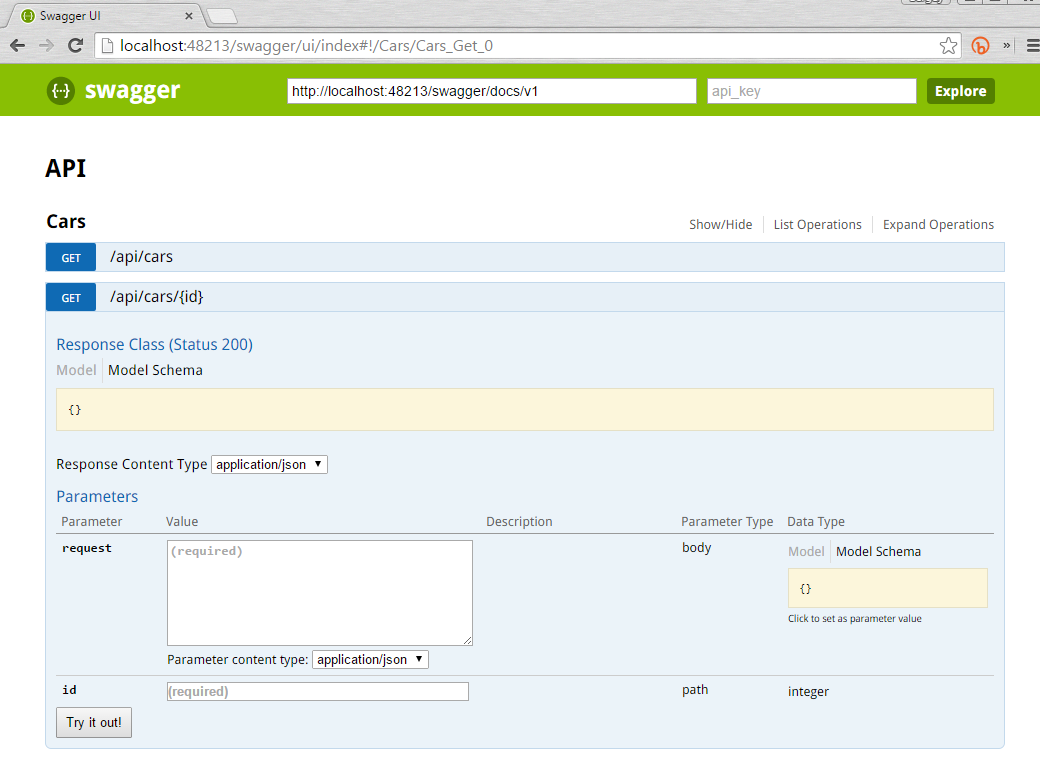
Swagger is very powerful framework that is able to generate schema and rich UI for your RESTful API. As I know, Swagger is very popular framework especially in the non-.NET world. You probably have already seen Swagger UI (like this) at several resources.

It turns out that it is not hard to use Swagger for .NET F# apps. There is a project called Swashbuckle, which adds Swagger to WebApi projects.

First of all, you need to create F# ASP.NET Web API project. You can do it using “F# Web Application templates (MVC 5 and Web API 2.2) by Ryan Riley and Daniel Mohl“. Choose “Web API 2.2 and Katana 3.0” option in project creation wizard.

So, now you have F# Web App with RESTful API: CarsController with two services ‘/api/cars‘ and ‘/api/car/{id}‘. Everything is awesome but we do not have UI that is able to show a list of available services, their parameters and return types. Swashbuckle will help us here, we need to install ‘Swashbuckle.Core‘ package to our web app.

Install-Package Swashbuckle.Core

The last step is to update HttpConfiguration in Startup.fs in proper way to register Swagger. Add following three lines to the end of RegisterWebApi method.

open Swashbuckle.Application

type Startup() =
    static member RegisterWebApi(config: HttpConfiguration) =
        // ...
        // Swagger configuration
        config
          .EnableSwagger(fun c -> c.SingleApiVersion("v1", "My API") |> ignore)
          .EnableSwaggerUi();

That’s all! When you start your web application and open ‘/swagger/ui/index‘ URI you will see beautiful documentation for your RESTful API.
SwaggerUI

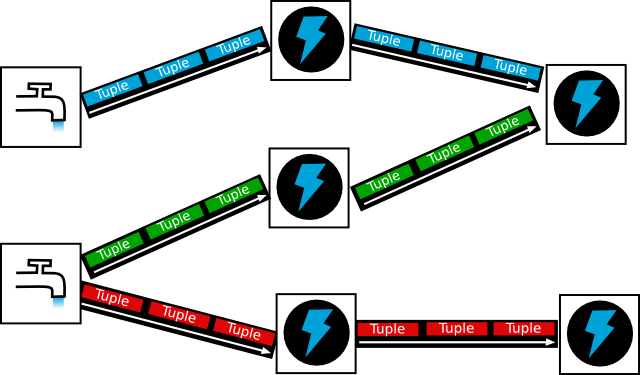
Real-time analytics with Apache Storm – now in F#

Eugene Tolmachev's avatarI think, therefore I spam.

Over the past several month I’ve been prototyping various aspects of  an IoT platform – or more specifically, exploring the concerns of “soft” real-time handling of communications with potentially hundreds of thousands of devices.

Up to this point, being in .NET ecosystem I’ve been building distributed solutions with a most excellent lightweight ESB – MassTransit, but for IoT we wanted to be a little closer to the wire. Starting with the clean slate and having discovered Apache Storm and Nathan’s presentation and I realized that it addresses exactly the challenges we have.

It appears to be the ultimate reactive microservices platform for lambda architecture: it is fairly simple, fault tolerant overall, yet embracing fire-n-forget and “let it fail” on the component level.

While Storm favours JDK for development, has extensive component support for Java developers and heavily optimizes for JRE components execution, it also supports “shell” components via its multilang protocol. Which is what, unlike Spark…

View original post 206 more words

Building Azure Service Fabric Actors with F# – Part 1

Isaac Abraham's avatarThe Cockney Coder

This post is the first part of a brief overview of Service Fabric and how we can model Service Fabric Actors in F#. Part 1 will cover the details of how to get up and running in SF, whilst Part 2 will look at the challenges and solutions to modelling stateful actors in a OO-based framework within F#.

What is Service Fabric?

Service Fabric is a new service on Azure (currently in preview at the time of writing) which is designed to support reliable, scalable (at “hyper scale”) and maintainable distributed applications and services – with automatic support for things like replication of state across nodes, automatic failover & recovery and multi tenanting services on the same instances. It supports (currently) both stateful and stateless micro-services and actor model architectures (more on this shortly). The good thing about Service Fabric (SF) from a risk/reward point of view is that it’s…

View original post 1,191 more words

Creating a Generative Type Provider

Dave Fancher's avatarDidactic Code

In my recently released Pluralsight course, Building F# Type Providers, I show how to build a type provider that uses erased types. To keep things simple I opted to not include any discussion of generative type providers beyond explaining the difference between type erasure and type generation. I thought I might get some negative feedback regarding that decision but I still believe it was the right decision for the course. That said, while the feedback I’ve received has been quite positive, especially for my first course, I have indeed heard from a few people that they would have liked to see generated types included as well.

There are a number of existing type providers that use generated types, most notably in my opinion is the SqlEnumProvider from FSharp.Data.SqlClient. That particular type provider generates CLI-enum or enum-like types which represent key/value pairs stored in the source database.

Although SqlEnumProvider…

View original post 898 more words

R for the .NET Developer

jamie dixon's avatarJamie Dixon's Home

clip_image002clip_image004clip_image006clip_image008

clip_image010imageimageimageimage

clip_image012

clip_image014

1setwd("C:GitR4DotNet") 2 3#y = x1 + x2 + x3 + E 4#y is what you are trying explain 5#x1, x2, x3 are the variables that cause/influence y 6#E is things that we are not measuring/ using for calculations 7 8fuel.efficiency <- read.csv("C:/Git/R4DotNet/Data/FuelEfficiency.csv") 9summary(fuel.efficiency) 1011#MPG = Miles per gallon12#GPM = Gallons per 100 miles13#WT = Weight of car in 1000 lbs14#DIS = Displacment in cubic inches15#NC = number of cylinders16#HP = Horsepower17#ACC = Acceleration in seconds from 0-6018#ET = Engine Type 0 = V, 1 = Straight1920plot(GPM~WT,data=fuel.efficiency) 21plot(GPM~DIS,data=fuel.efficiency) 2223fuel.efficiency$NC <- factor(fuel.efficiency$NC) 24fuel.efficiency$ET <-

View original post 333 more words

Articles about using F# to implement Lisp

Jorge Tavares's avatarJorge Tavares Notes

I was looking for examples of Lisp implementations using F# and found these 3 interesting series of blog posts. You can find other posts about implementing Lisp or Scheme using F# but these were the ones I found more comprehensive and different enough to compare different implementations. Although these Lisp implementations are learning experiments and not for production use, it’s fun to see how they are implemented. The series are the following ones:

Tim Robinson’sLisp Compiler in F#:

  1. Introduction
  2. Parsing with fslex and fsyacc
  3. Expression trees and .NET methods
  4. http://www.partario.com/blog/2009/06/lisp-compiler-in-f-il-generation.html
  5. What’s next?

Ashley Nathan Feniello’sFScheme series:

  1. Scheme in F#
  2. Just ‘let’ Me Be Already!
  3. Lambda the Ultimate!
  4. Rinse and Recurse
  5. What ‘letrec’ Can’t Do
  6. What’s Lisp Without Lists?!
  7. No Wait, Macro the Ultimate!
  8. Oh, The Humanity!
  9. Language vs. Library
  10. Turning Your Brain Inside Out with Continuations
  11. Playing Dice with the Universe
  12. Functional I/O (or at least…

View original post 37 more words

Stormin’ F#

fwaris's avatarFaisal's space

Apache Storm is a scalable ‘stream computing’ platform that is fast gaining popularity. Hadoop and Storm can share the same cluster and the two complement each other well for different computing needs – batch for Hadoop and near-real-time for Storm.

Storm provides a macro architecture for executing ‘big data’ stream processing ‘topologies’. For example, one easily increase the parallelism of any node in the Storm topology to suit the performance requirements.

For streaming analytics, however, Storm does not offer much help out of the box. Often one has to write the needed analytic logic from scratch. Wouldn’t it be nice if one could use something like Reactive Extensions (Rx) within Storm components?

Luckily Nathan Marz – the original author of Storm – chose to enable Storm with multi-language support. While Storm itself is written in Clojure and Java, it implements a (relatively simple?) language-independent protocol that can be used with basically…

View original post 292 more words

FAKE Final Targets

Today I discovered a new (for me) FAKE feature called FinalTarget. I worked on integration with our new product ReportPortal (in beta right now) that collects and visualizes test results and faced a problem …

The integration process is the following:

  1. Start a new launch (test session) on the server
  2. Execute all tests: unit & integration tests (in my scenario).
  3. Close a launch on the server

As you see, I need to close a launch even in the case when tests failed. So I cannot stop an execution of build script directly on the failure. Unexpectedly, but FAKE provides an elegant solution for this scenario – FinalTarget (target that will be executed in any case if you activate it).

FAKE dependencies look like this in my script:

"Clean"
 ==> "RestorePackages"
 ==> "Build"
 =?> ("RP_StartNewLaunch", not <| hasBuildParam "skipTests")
 =?> ("RunUnitTests", not <| hasBuildParam "skipTests")
 =?> ("RunIntegrationTests", hasBuildParam "allTests")
 =?> ("RP_FinishLaunch", not <| hasBuildParam "skipTests")
 ==> "All"

Targets look like this:

Target "RP_StartNewLaunch" (fun _ ->
    ...
    ActivateFinalTarget "RP_FinishLaunch"
)

FinalTarget "RP_FinishLaunch" (fun _ ->
    ...
)

Target "RunUnitTests" (fun _ ->
    ...
)

Target "RunIntegrationTests" (fun _ ->
    ...
)

As you see, I defined FinalTarget instead of usual Target for “RP_FinishLaunch” and activated it on start of a new launch.

FAKE is awesome 😉