 SharePoint Search Service Applications have two modes for crawling content:
- Full Crawl that re-crawls all documents from Content Source.
- Incremental Crawl that crawls documents modified since the previous one.
But it is really not enough if you are working on search driven apps. (More about SharePoint crawling you can read in Brian Pendergrass “SP2010 Search *Explained: Crawling” post).
Search applications are a special kind of applications that force you to be iterative. Generally, you work with large amount of data and you cannot afford to do full crawl often, because it is a slow process. There is another reason why it is slow: more intelligent search requires more time to indexing. We can not increase computations in query time, because it directly affects users’ satisfaction. Crawling time is the only place for intelligence.
Custom document processing pipeline stages are tricky a bit. Generally, you can find some documents in your hundreds of thousands or millions corpus, which failed on your custom stage or were processed in a wrong way. These may happen because of anything (wrong URL format, corrupted file, locked document, lost connection, unusual encoding, too large file size, memory issue, BSOD on the crawling node, power outage and even due to the bug in the source code 🙂 ) Assume you were lucky to find documents where your customizations work wrong and even fix them. There is a question how to test your latest changes? Do you want to wait some days to check whether it works on these files or not? I think no… You probably want to have an ability to re-crawl some items and verify your changes.
Incremental crawl does not solve the problem. It is really hard to find all files that you want to re-crawl and modify them somehow. Sometimes modification is not possible at all. What to do in such situation?
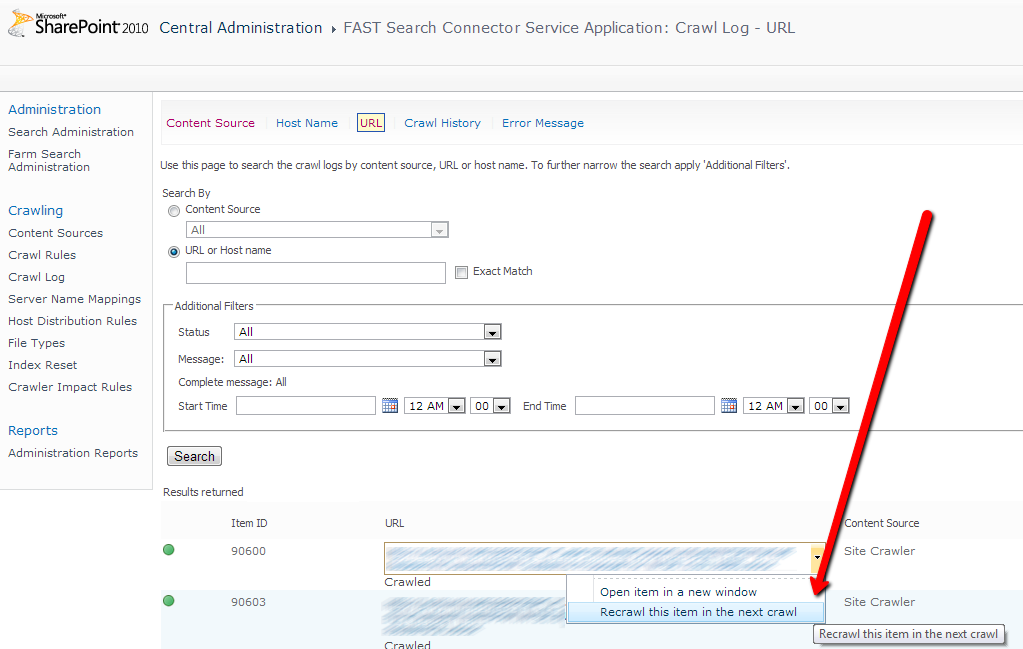
Search Service Applications have an UI for high level monitoring of index health (see the picture below). There you can check the crawl status of document by URL and even re-crawl on individual item.
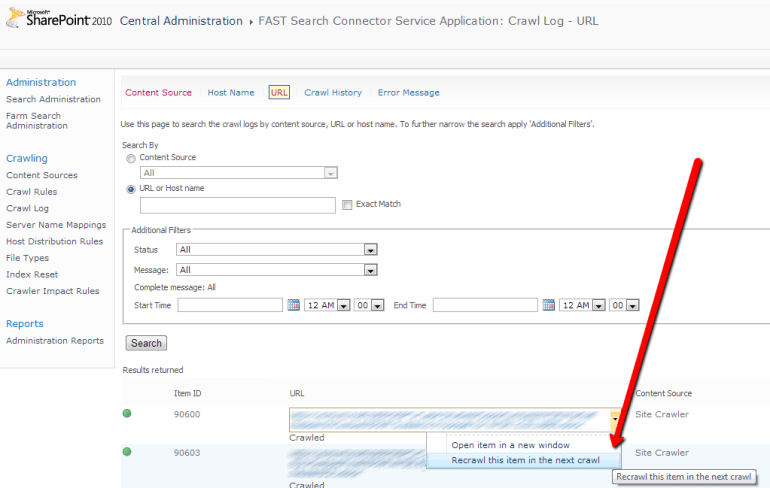
SharePoint does not provide an API to do it from code. All that we have is a single ASP.NET form in Central Administration. If you make a further research and catch call using Fiddler then you can find target code that process request. You can decompile SharePoint assemblies and find that some mysterious SQL Server stored procedure was called to add you document into processing queue (read more about that stuff in Mikael Svenson’s answer on FAST Search for SharePoint forum).
Ahh… It is already hard enough, just a pain and no fun. Even if we find where to get or how to calculate all parameters to stored procedure, it does not solve all our problems. Also we need to find a way to collect all URLs of buggy documents that we want to re-crawl. It is possible to do so using SharePoint web services, I have already posted about that (see “F# and FAST Search for SharePoint 2010“). If you like this approach, please continue the research. I am tired here.
Canopy magic
Why should I go so far in SharePoint internals for such a ‘simple’ task. Actually, we can automate this task through UI. We have a Canopy – good UI automation Selenium wrapper for F#. All we need is to write some lines of code that start browser, open the page and click some buttons many times. For sure this solution have some disadvantages:
- You should be a bit familiar with Selenium, but this one is easy to fix.
- It will be slow. It works for hundreds document, maybe for thousands, but no more. ( I think that if you need to re-crawl millions of documents you can run a full crawl).
Also such approach has some benefits:
- It is easy to code and to use.
- It is flexible.
- It solves another problem – you can use Canopy for grabbing document URLs directly from the search result page or the other one.
All you need to start with Canopy is to download NuGet package and web driver for your favorite browser (Chrome WebDrover, IE WebDriver). The next steps are pretty straightforward: reference three assemblies, configure web driver location if it is different from default ‘c:\’ and start browser:
#r @"..\packages\Selenium.Support.2.33.0\lib\net40\WebDriver.Support.dll"
#r @"..\packages\Selenium.WebDriver.2.33.0\lib\net40\WebDriver.dll"
#r @"..\packages\canopy.0.7.7\lib\canopy.dll"

open canopy

configuration.chromeDir <- @"d:\"
start chrome
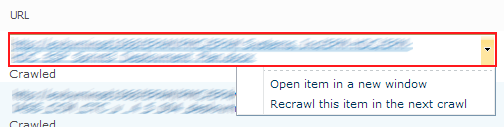
Be careful, Selenium, Canopy and web drivers are high intensively developed projects – newest versions maybe different from mentioned above. Now, we are ready to automate the behavior, but here is a little trick. To show up a menu we need to click on the area marked red on the screenshot below, but we should not touch the link inside this area. To click on the element in the specified position, we need to use Selenium advanced user interactions capabilities.
let sendToReCrawl url =
    let encode (s:string) = s.Replace(" ","%20")
    try
        let encodedUrl = encode url
        click "#ctl00_PlaceHolderMain_UseAsExactMatch" // Select "Exact Match"
        "#ctl00_PlaceHolderMain_UrlSearchTextBox" << encodedUrl
        click "#ctl00_PlaceHolderMain_ButtonFilter" // Click "Search" Button

        elements "#ctl00_PlaceHolderMain_UrlLogSummaryGridView tr .ms-unselectedtitle"
        |> Seq.iter (fun result ->
            OpenQA.Selenium.Interactions.Actions(browser)
                  .MoveToElement(result, result.Size.Width-7, 7)
                  .Click().Perform() |> ignore
            sleep 0.05
            match someElement "#mp1_0_2_Anchor" with
            | Some(el) -> click el
            | _ -> failwith "Menu item does not found."
        )
   with
   | ex -> printfn "%s" ex.Message

let recrawlDocuments logViewerUrl pageUrls =
    url logViewerUrl // Open LogViewer page
    click "#ctl00_PlaceHolderMain_RadioButton1" // Select "Url or Host name"
    pageUrls |> Seq.iteri (fun i x ->
        printfn "Processing item #%d" i;
        sendToReCrawl x)
That is all. I think that all other parts should be easy to understand. Here, CSS selectors used to specify elements to interact with.
Another one interesting part is grabbing URLs from search results page. It can be useful and it is easy to automate, let’s do it.
let grabSearchResults pageUrl =
    url pageUrl
    let rec collectUrls() =
        let urls =
            elements ".srch-Title3 a"
            |> List.map (fun el -> el.GetAttribute("href"))
        printfn "Loaded '%d' urls" (urls.Length)
        match someElement "#SRP_NextImg" with
        | None -> urls
        | Some(el) ->
            click el
            urls @ (collectUrls())
     collectUrls()
Finally, we are ready to execute all this stuff. We need to specify two URLs: first one is to the page with search results where we get all URLs, second one is to the logviewer page in you Search Service Application in Central Administration(do not forget to replace them in the sample above). Almost all SharePoint web applications require authentication, you can pass your login and password directly in URL as it done in the sample above.
grabSearchResults "http://LOGIN:PASSWORD@SEARVER_NAME/Pages/results.aspx?dupid=1025426827030739029&start1=1"
|> recrawlDocuments "http://LOGIN:PASSWORD@SEARVER_NAME:CA_POST/_admin/search/logviewer.aspx?appid={5095676a-12ec-4c68-a3aa-5b82677ca9e0}"










 Nowadays, Atlassian products become more and more popular. Different companies and teams start using Jira and Confluence for project management. It would be good to have an ability to communicate with these services from .NET. As you probably know, Jira and Confluence are pure Java applications. Both applications provide SOAP and REST services. REST is a new target for Atlassian, they focused on it and do not touch SOAP anymore. So SOAP services live with all their bugs inside and even