FSI console has a pretty small font size by default. It is really uncomfortable to share screen with projector. Source code in FSI is always small and hard to read. Never thought (until today) that I can configure font, color, font size and etc. In fact, it is very easy to do:
- Click Tools -> Options.
- Select Environment -> Fonts and Colors.
- In the ‘Show setting for‘ drop-down select ‘F# Interactive‘.
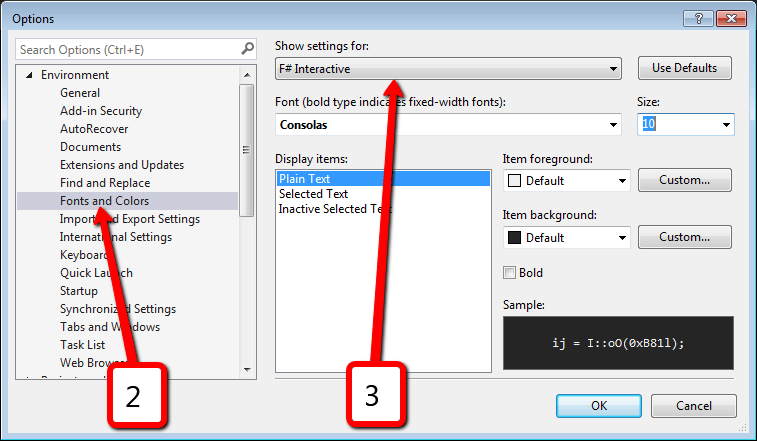
- Here it is – you can change whatever you want.
- That’s wonderful!
Discover more from Sergey Tihon's Blog
Subscribe to get the latest posts sent to your email.


One thought on “F# Interactive “branding””