Year 2016. I am a Software Engineer with 6 years of commercial experience, working on a corporate HP EliteBook. I am slightly bored and looking for a new gadget. I cannot use my work laptop for everything, so I start to explore and dream about a MacBook (my greatest wish at the time and a great disappointment in the future). Finally, I convince myself that this purchase is reasonable and that it will not be just a new thing: it will be an all-in migration from Windows, and it will help me become a better engineer and learn a new platform (quite a serious decision at the time for a .NET engineer working in Visual Studio).
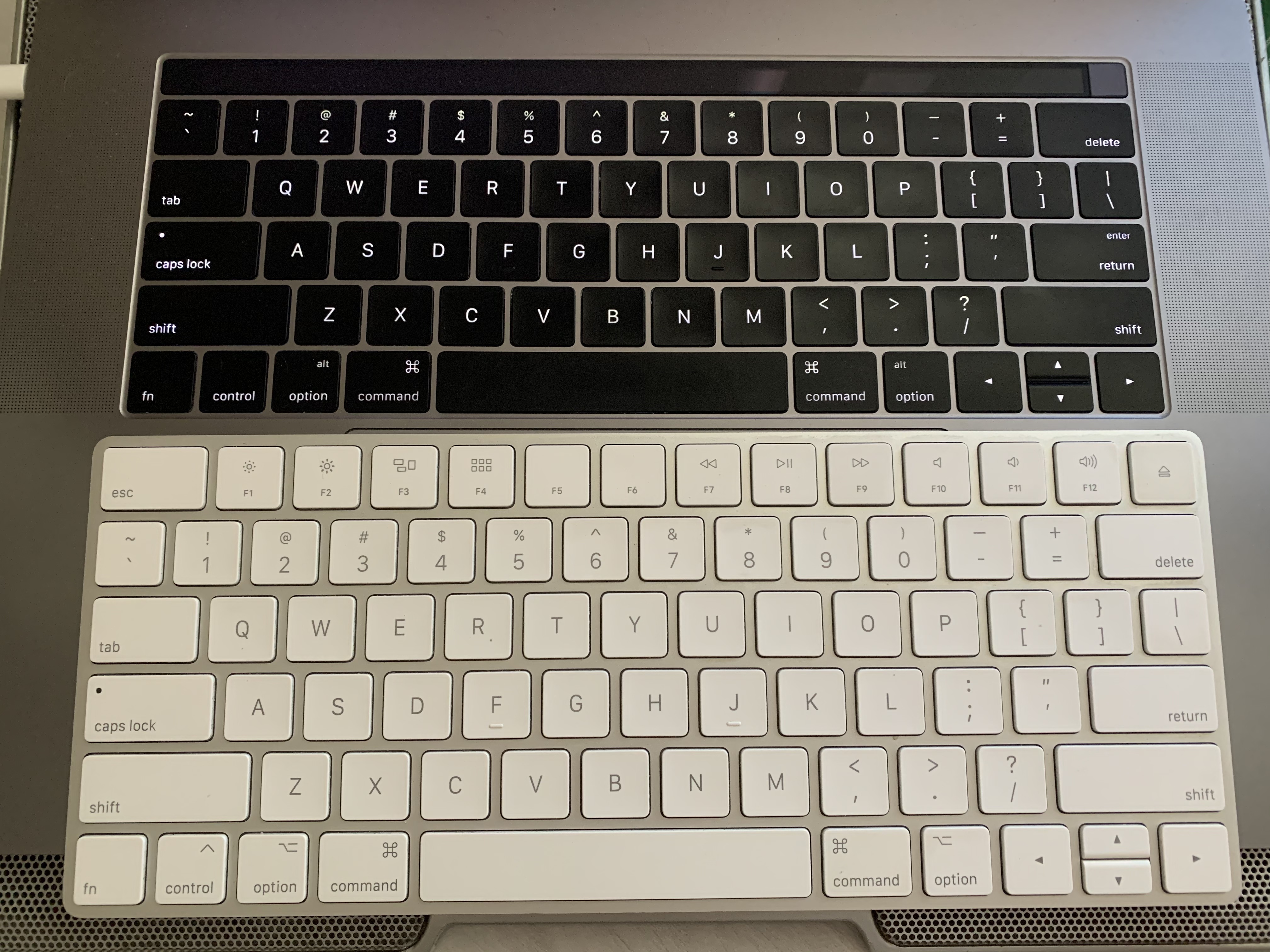
I want to start from this moment, because I believe that this purchase, more than anything else, drove my desire to move further and explore. The MacBook keyboard was terrible. I did my best at the time to love it, but after all these years I cannot say that it was a good experience. No Esc key, a Touch Bar, low travel distance, dust issues (double key registration, or no registration at all). I struggled a lot to type my password: I did not know what was actually registered as a keystroke, so I had to slow down dramatically or even type with one finger, carefully watching how many key presses went through.
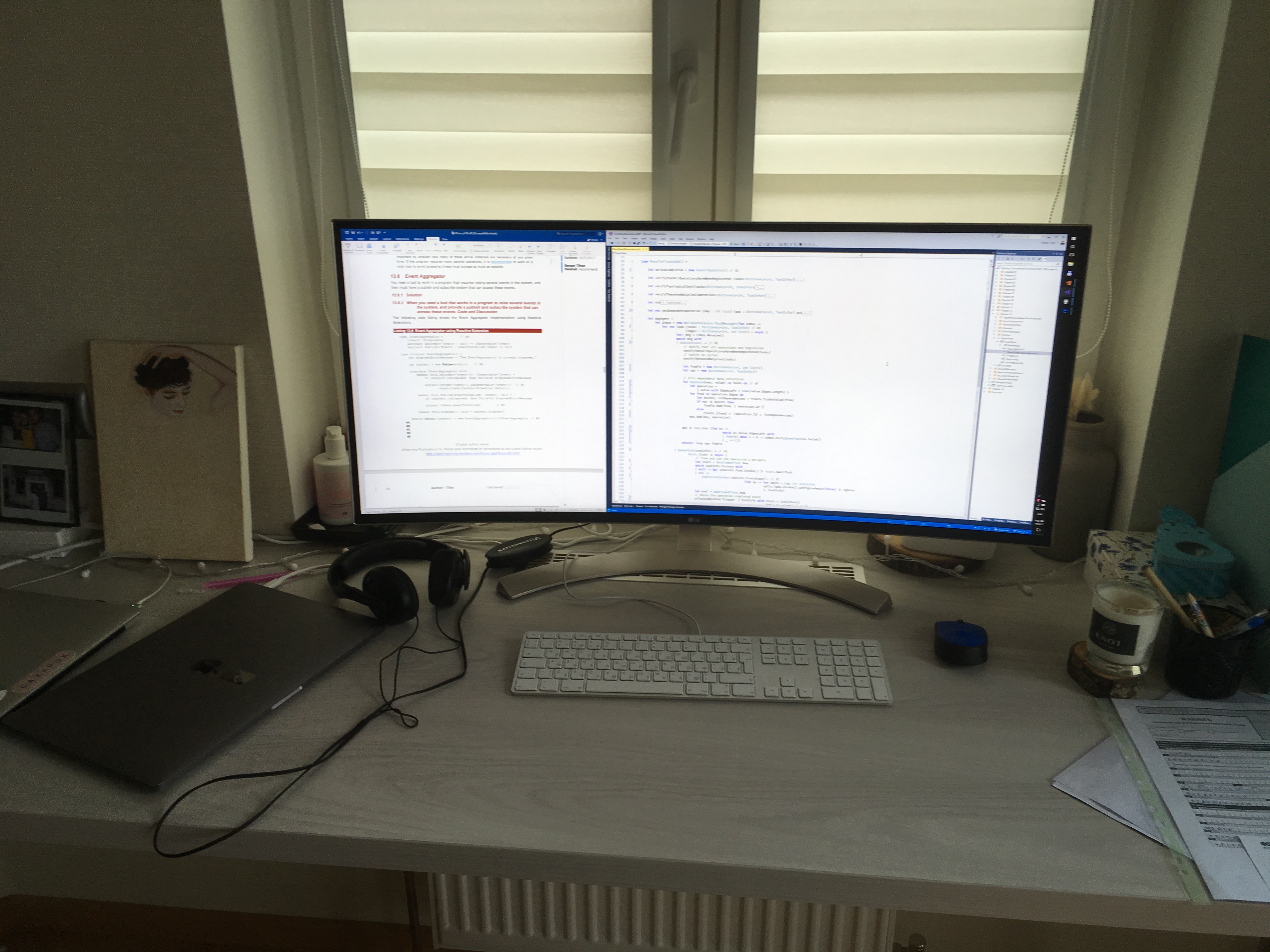
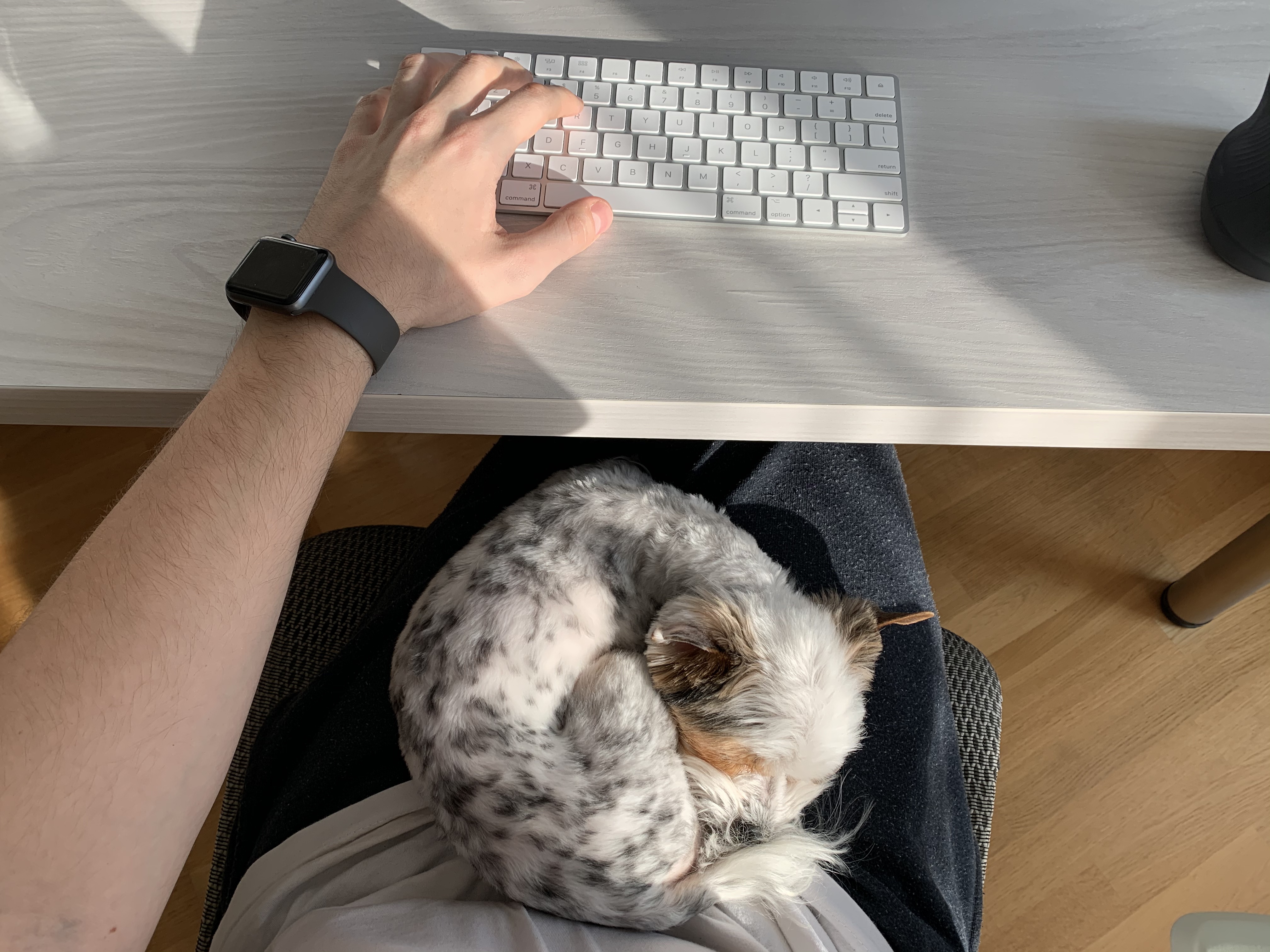
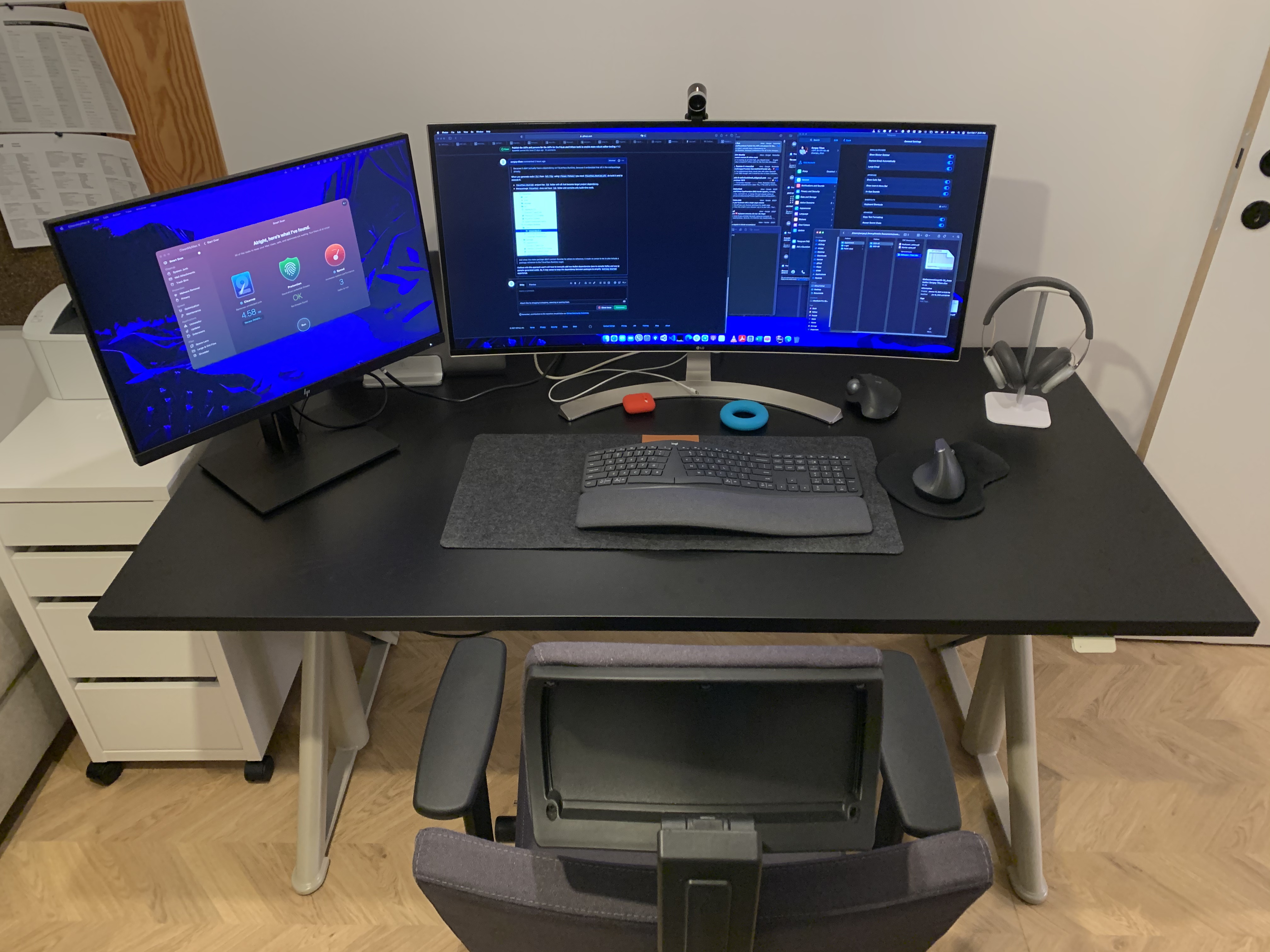
Around that time I bought an LG 38UC99-W ultra-wide monitor for the screen real estate and the single USB-C cable connection to my laptop (another regret in the future), and shortly switched to an Apple Magic Keyboard and Magic Trackpad. No more struggling with the built-in butterfly keyboard, and I now carry a dedicated keyboard with me for my laptop. Later on I’ll switch to the Logitech MX Vertical, which is still one of my favorite mice.
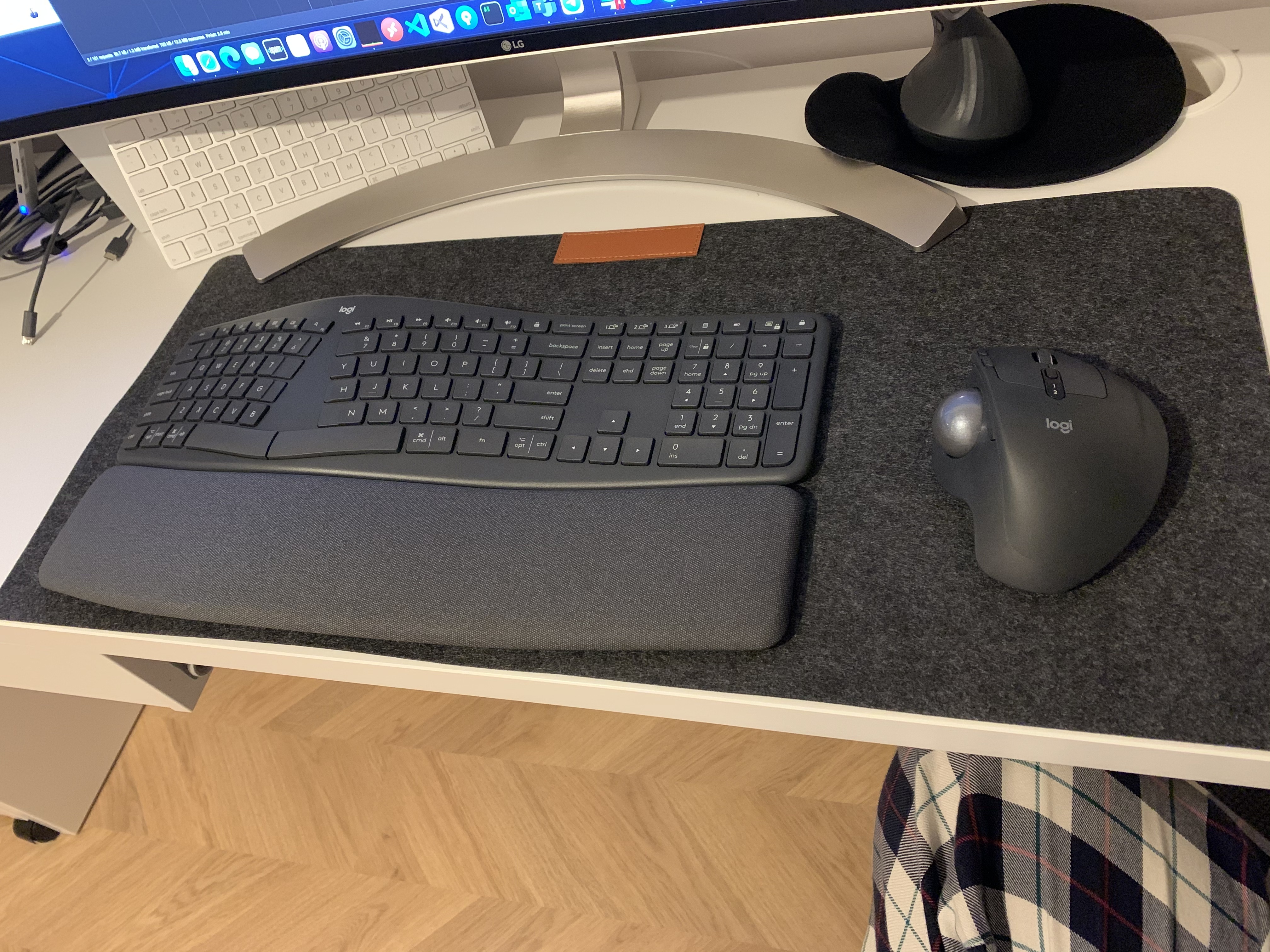
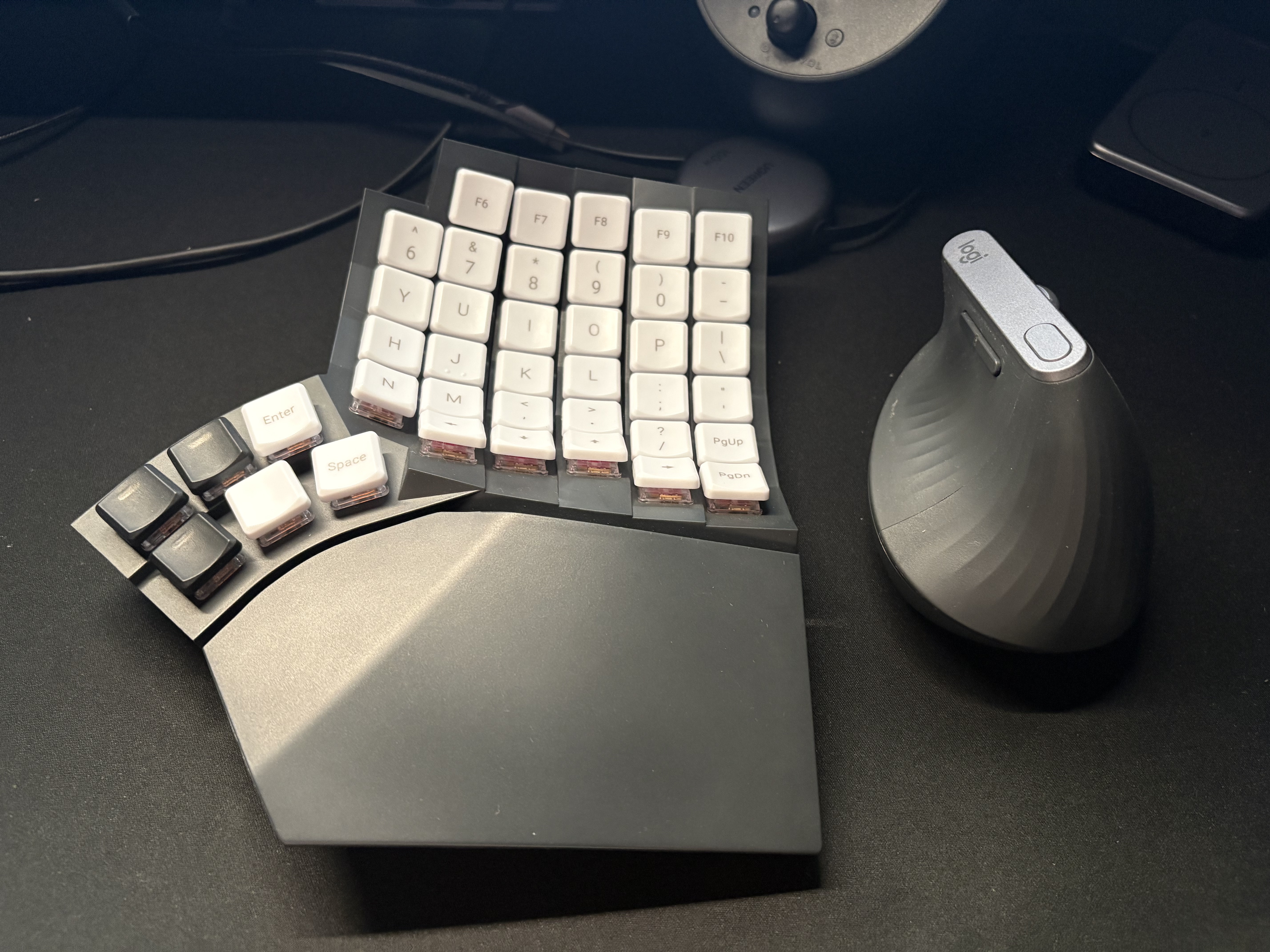
Logitech ERGO K860
Year 2021. I feel the pain. It is hard for me to type and work a full day, my wrists hurt after long typing sessions, my pinky finger freezes after mouse use. I am worried about my future career. I am only in my 30s, my daughter will be born soon, we have just moved to a new country, and it all feels scary.
I am looking for a new keyboard, an ergonomic keyboard! Ergonomic means curved, right? That is what I thought too. After some research I found the Logitech ERGO K860, released a year earlier. I had already been using a Logitech mouse and was quite happy with the software and macOS support. I wanted a unit with the US key layout, so a good friend of mine bought one in the USA and sent it to me (thank you, R.).
Overall, I am glad that I started my journey with this keyboard. The K860 helped me to split the keys correctly between my hands and taught me to use the right fingers to press them. I have big hands and can press left Ctrl + F12 with one hand on the Magic Keyboard. Another surprise was the negative tilt — I had never thought that such a feature existed, and I could not imagine that it would be comfortable to use. But no matter how hard I tried, I cannot live with a numpad: the travel distance between your right hand’s home-row position and the vertical mouse is too large and uncomfortable for regular use.
Meanwhile, I tried the Kensington SlimBlade Pro Trackball, which I eventually returned. The clicks were too loud, the movements were not as comfortable for me as with the vertical mouse, the software was not as good as Logitech’s on macOS, and I did not like having to use two dongles (Logitech & Kensington).
After that I got another mouse as a present, the Logitech MX ERGO. It worked over the same dongle as the keyboard, had the same familiar software and was not as loud as the SlimBlade. I didn’t like it at first either, because its hand position was not as comfortable for me as the vertical mouse (but I eventually found a solution — more about this later).
MoErgo Glove80
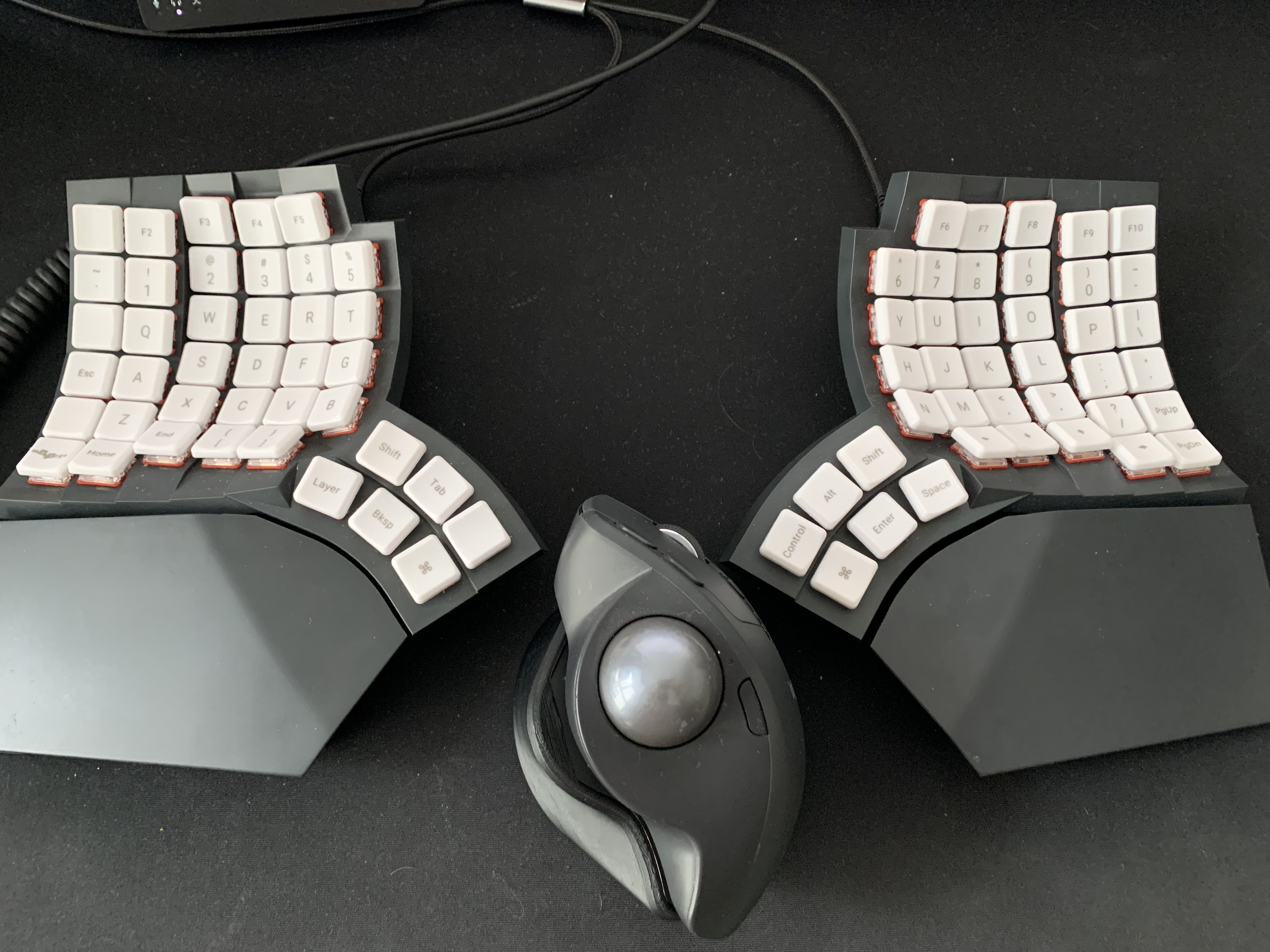
Year 2023. I am already “sick” and subscribed to Ben Vallack, Ben Frain, If Coding Were Natural, Code to the Moon, CalmCode, watching keyboard reviews and looking for a new board that will be even more comfortable: without a numpad, probably split, and still low-profile. After many reviews I decided that ultimate ergonomics comes only with a concave key well split, and that I need either the Kinesis Advantage360 or the MoErgo Glove80.
The Kinesis Advantage was harder to buy and ship to Poland, and it was more expensive. The Glove80 was more travel friendly and shipped with a travel case. The choice was made — the MoErgo Glove80 with Red Pro Low Force Linear Switches, 35±10gf, for ultimate ergonomics.
The transition was STEEP! Typing on the Glove80 and typing on the K860 are two completely different experiences. I flashed Glorious Engrammer with all its layers, home-row mods and default timings, printed the layout on paper, stuck it to the monitor and struggled a lot 🙃.
After some time I realized that Glorious Engrammer does not work well for me: I have to switch languages, and I need a more comfortable position for [ and ] (used for letters for my native language). I did not like the version of the web layout editor from MoErgo that was available at that time, and I felt the need to keep my firmware in a git repo and iterate on it through pull requests. So I created my own layout, heavily inspired by Glorious Engrammer, using Keymap Editor and the official firmware template glove80-zmk-config.
Over time I created a layout that works for me. It is easy to switch languages and type in both, it is QWERTY-based, and I do not need to re-learn how to type in my native language. It all lives in git, so I can create branches, experiment with different ideas and be sure that I can easily go back when I need to. I learned how to use home-row mods, configured AeroSpace, sold my ultra-wide monitor and replaced it with the astonishing BenQ RD280UA, which not only fixed my neck pain but also gave me the huge amount of vertical screen space that I had missed for years (1600px on the LG vs 2560px on the BenQ).
The Red Pro switches were not perfect, as I can say now: slightly wobbly, not silent, and a key press might not register when you press off-center. But it was the best option available at the moment.
When MoErgo announced the Cherry & Plum Blossom Silent Linear Key Switches, I was intrigued. I thought that Red Pro was too light for me and that heavier switches would help me type faster without accidental key presses. The Glove80 is not hot-swappable and soldering was not an option for me (I did not want to destroy my new keyboard), so I decided to buy the upgrade kit with pre-soldered Plum Blossom switches.
It was definitely an upgrade in key stability and in the overall typing experience. I felt that +10gf force jump and initially thought it might be a mistake — too heavy, and that Cherry Blossom would probably have been the better choice. But there was no way back, so I had to adapt, and it is still better than Red Pro.
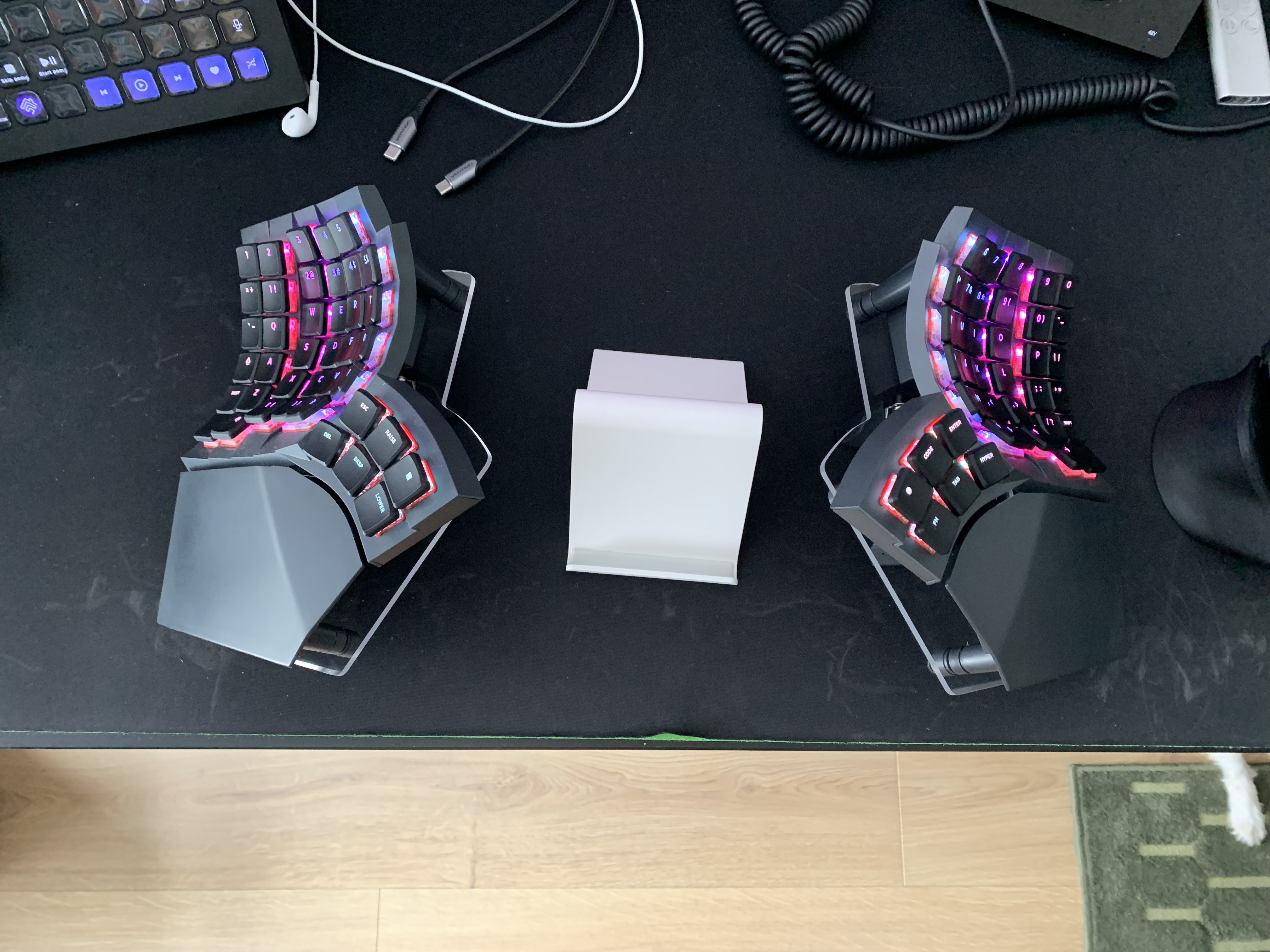
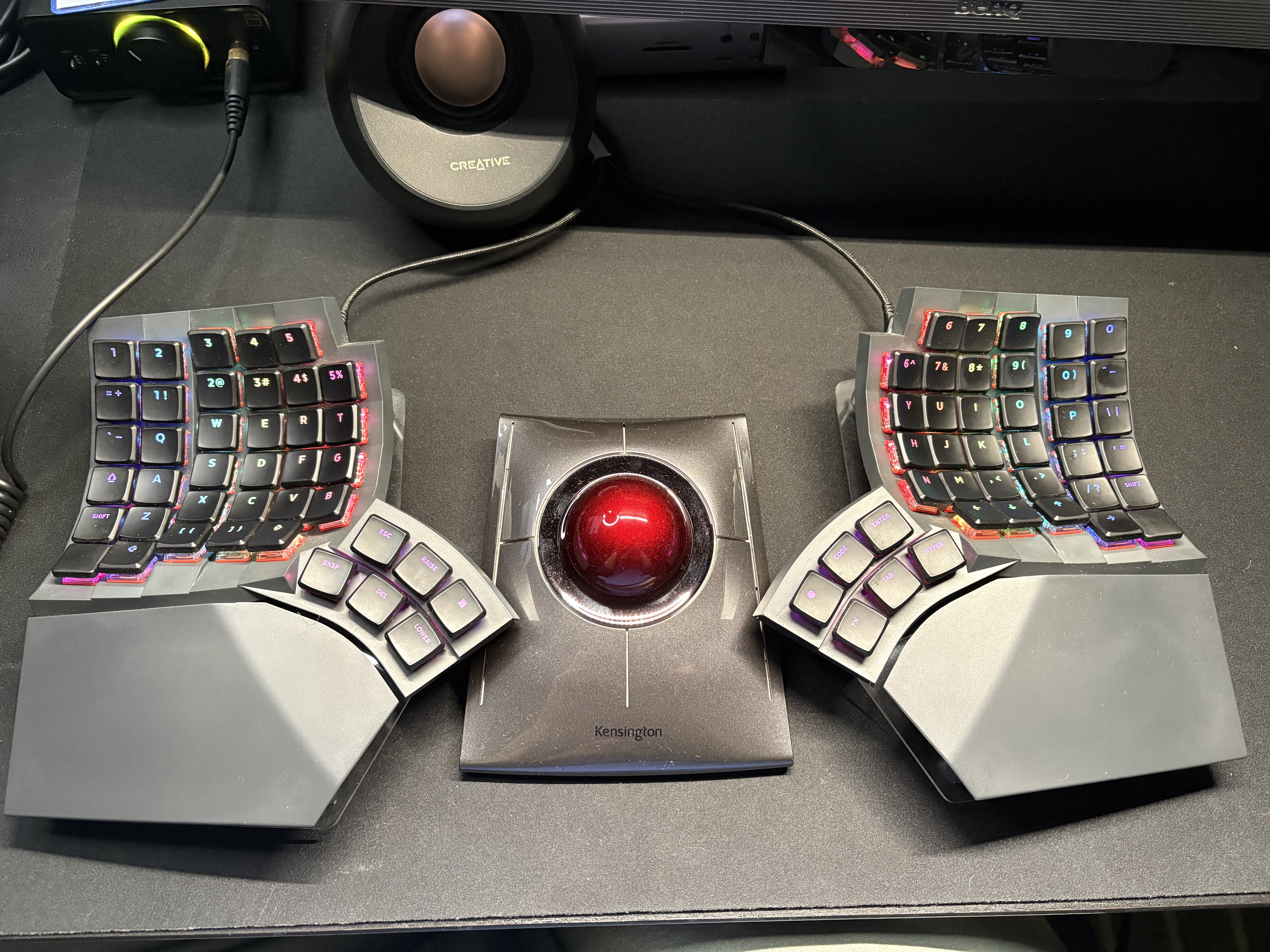
I used the Glove80 daily for 2–2.5 years and it was the best keyboard I ever had, but it feels slightly small for my large hands, and I want to stretch my fingers more than the Glove80 lets me. I almost never used the Function keys and used only 4 of the 6 thumb cluster keys. The tenting system is complicated and hard to set up and tweak. I tried almost every possible mounting option (chair, camera holders, table mount, 90 degrees and so on) and eventually put everything back to the default position, because I realized that I cannot sit in one position all day: the keyboard should move with me, and I should be able to move it around the table and adjust it whenever I want, without any complicated procedure.
Keycaps: I also replaced my keycaps with MBK Legend‡ Glow R2 Black and found them very beautiful with the shine-through legends and RGB lighting (not that awesome during the day, but nearly perfect at night).
MoErgo Go60
Year 2025, Christmas Eve. I am already looking for a 2nd board: something small, 36/42 keys, maybe a DIY diodeless kit that I can try to solder, hot-swappable, Miryoku friendly, and probably based on ZMK, because I already have experience with it. Here is my short list:
- Piantor 42 — my top choice at the time.
- Corne v3
- Chocofi
I was close to buying the Piantor and even ordered a Switch Tester (Choc v1) to try the switches and choose the right ones for me.
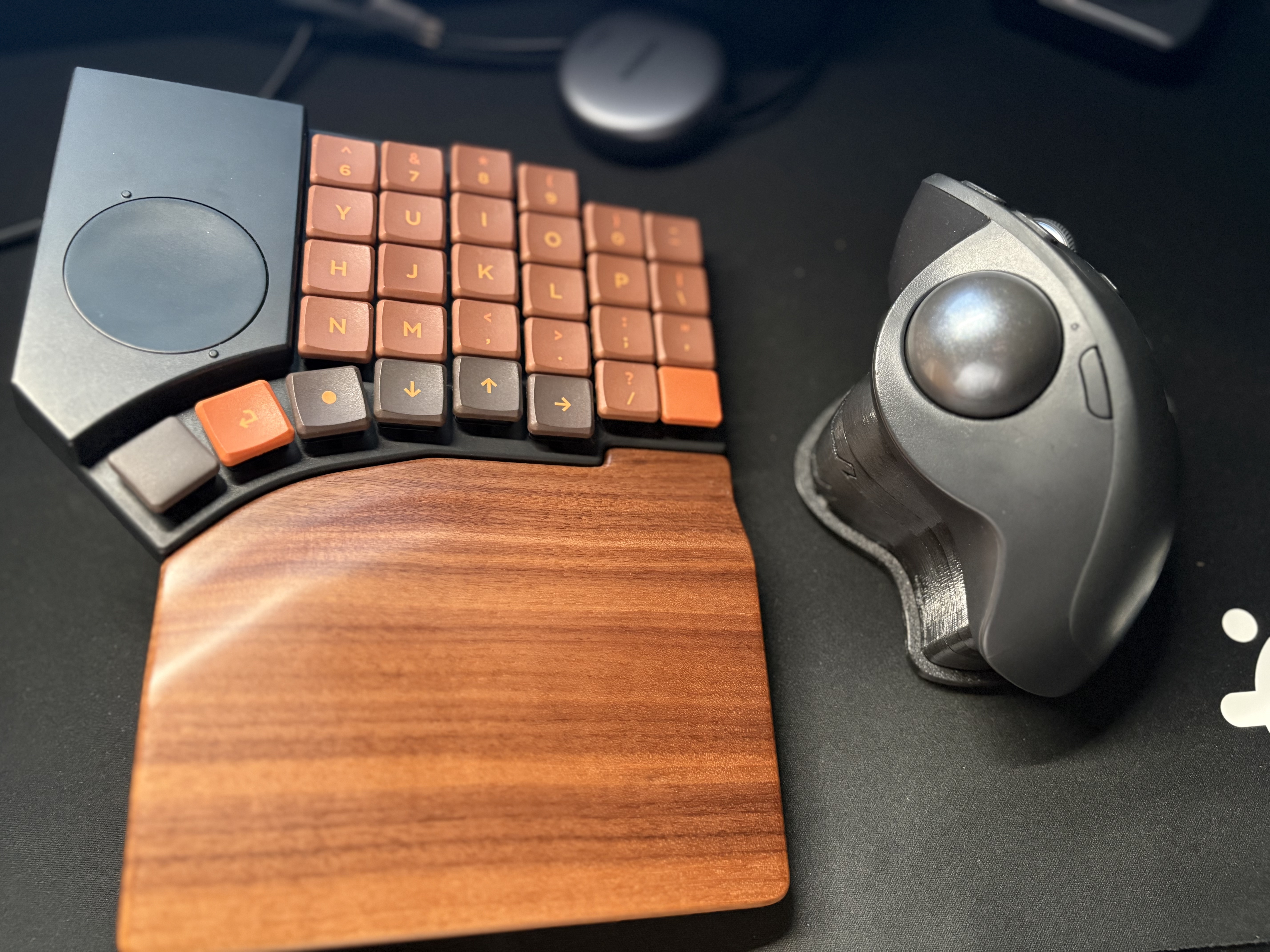
At that point I found an Angle Adjustment Stand for MX Ergo that turned my trackball into a vertical trackball from Logitech. This is my daily driver to this day and my favorite mouse setup ❤️.
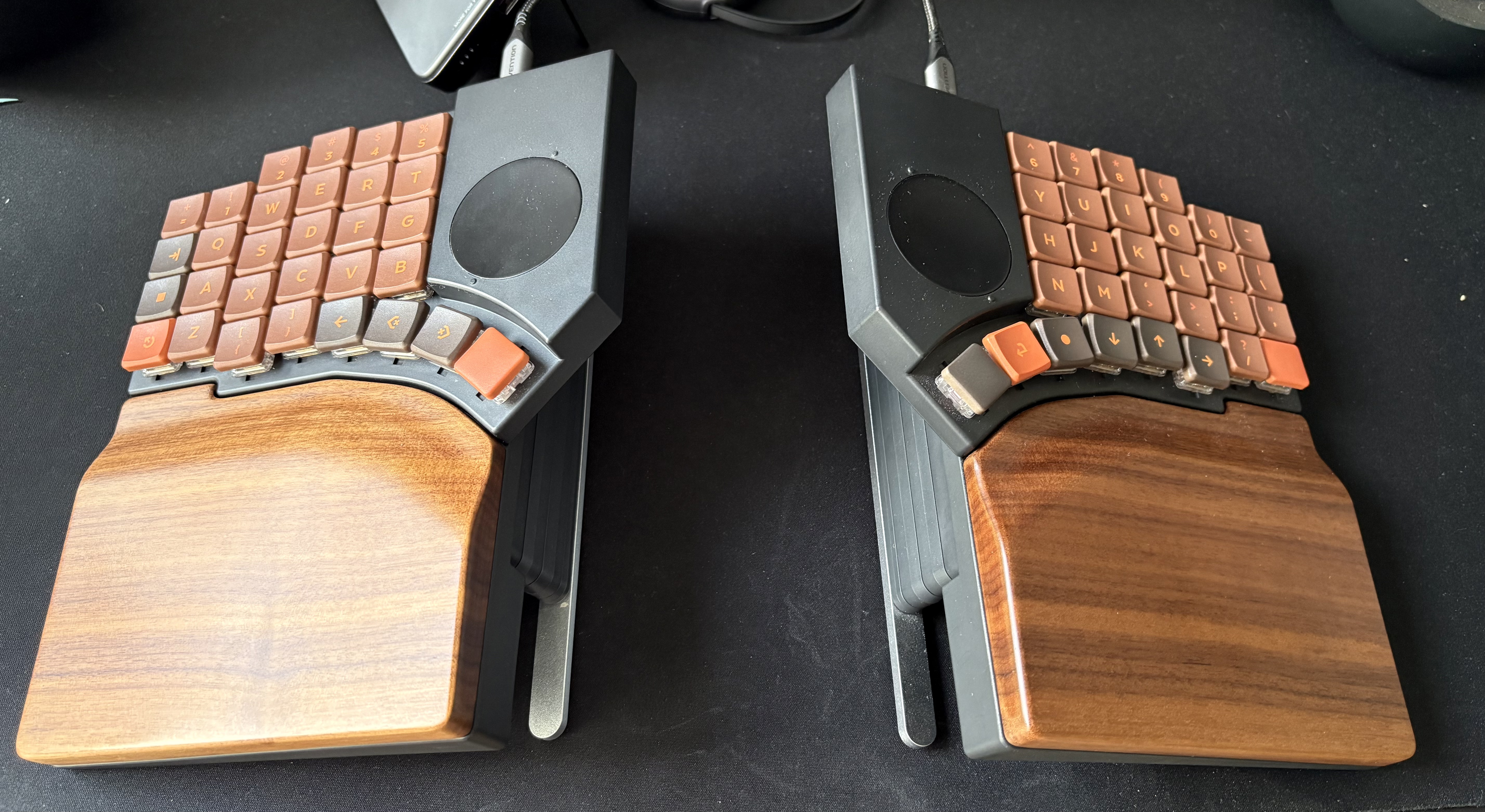
Then MoErgo announced the Go60. It was close to what I was looking for. More keys than I initially planned, but a dedicated num row and an easier transition from my current layout. A new magnetic tenting system and a nice looking Palm Rest. Hot-swappable sockets and the freedom to experiment with switches. Deciding between DIY and a trusted manufacturer, I picked the second one (under the heavy influence of Christmas Eve) and ordered the Go60 with Cherry Blossom switches, the Palm Rest, the Mounting Puck and the Double-shot PBT/PC MCC Keycap Set.
Jan 5, 2026, and I am happily unpacking the Go60. During the waiting time I had asked MoErgo to release the firmware for the Go60 — moergo-keyboards/go60-zmk-config — and had even started porting my layout. I quickly realized that Keymap Editor does not let me configure the trackpads, so I decided to give the official layout editor a chance. Imagine my surprise when I found the TailorKey layouts for the Go60 & Glove80: they were very close to the layout I had created for myself, and the layout editor has become significantly better and easier to use since 2023. Today the Go60 is my main board, I use it daily, and my layout lives inside the official layout editor. The hardest part of the migration for me was the thumb cluster. I had got used to four out of six keys on the Glove80 cluster and missed one key on the Go60 for a few weeks.
I love the Go60 so far. I really like how it looks and the feel of the wooden palm rest. I don’t use it on the go yet — I don’t find this board comfortable without the palm rest, and I prefer not to carry extra stuff with me. I can work on my MacBook keyboard just fine for a few hours when I am travelling, without carrying an extra keyboard. It is quite surprising how much I like the Go60 with the palm rest and how uncomfortable I find it without one. I use the trackpads for relatively small mouse movements and clicks; they don’t replace the mouse for me completely, but when I switch back to the Glove80 my index fingers keep searching for them. The tenting system has become simpler to use, but it is still quite complicated for frequent changes. The most annoying thing is that when I move the palm rest horizontally across the table, it may accidentally detach from the magnet and fall loudly onto the table in the middle of a meeting.
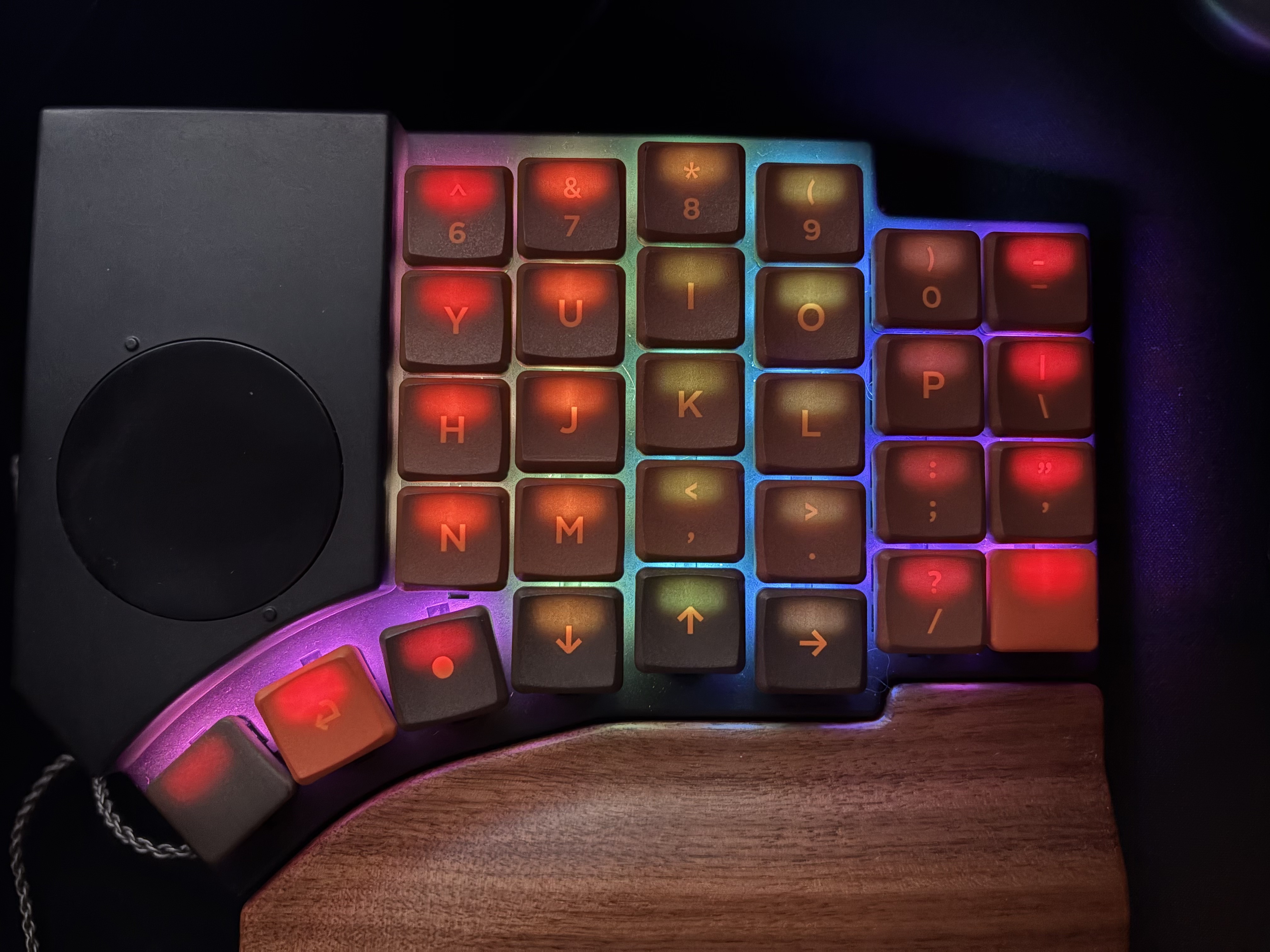
Keycaps: I ordered MBK Legend‡ 60s Burnt Orange keycaps for the Go60. They are not shine-through, and they do not look good with RGB lighting (especially with Golden Kiwi), but they look fantastic during the day, especially together with the wooden palm rest.
Golden Kiwi
I am definitely not a key switch expert. I was tempted to try more switches during my Glove80 days, and that was one of my reasons for buying a new keyboard.
When I was thinking about switches for the Piantor and playing with the Switch Tester, I found two that I liked:
Twilight was silent and had a pretty nice actuation force, but it was more wobbly than Cherry Blossom (as I would find out later). My top pick was Sunset, because of the nice tactile feedback. Sunset is quite a loud switch compared to Twilight and Cherry Blossom, but the tactility attracted me. I tried the Sunset switch from the tester on the thumb cluster of my Go60 and found it slightly heavier than I like, so I stopped myself from buying a 60-pack for it.
A lovely evening of Aug 7th. I am on vacation in the forest with my wife and daughter, and I read the announcement from Stephen: “After 3.5 years of collaborative R&D … we are excited to introduce MoErgo’s exclusive Golden Kiwi silent tactile switch.” It was exactly what I was looking for! Is it low force? I keep reading: “Actuation force: 30±5gf, Peak tactile bump force: 42±5gf”. Yes — the same actuation force as Cherry Blossom, lighter than Sunset, and it should feel lighter than Plum Blossom. Ordered immediately! (MoErgo cannot disappoint.)
9 days later, a package with 63 Golden Kiwi switches in black casing was delivered to my door in Poland. I immediately replaced all the switches on my Go60.
Golden Kiwi are very lovely switches ❤️ No regrets whatsoever. I am definitely happy that I decided not to buy the Sunset switches and waited for this miracle announcement. They are very silent, definitely lighter than Sunset, they feel lighter than Plum Blossom (45±5gf) and only slightly heavier than Cherry Blossom (30+10gf) — the actuation force is the same 30gf, it is the 42gf tactile bump that you feel on top of it. I found out that I prefer tactile switches over linear ones: I hit 100% accuracy on Monkeytype more often with Golden Kiwi, because I feel when every key press is registered.
Funny thing: when I changed the switches and typed on Golden Kiwi for the first time, it felt like a good old membrane keyboard. They are so light and gentle that a key press really feels like popping silicone or playing with my daughter’s popit.
The only disappointment I discovered after installing the switches is that the black casing affects the RGB lighting. The switch has a small translucent window at the top, right above the LED, so there is almost zero light to the sides — only straight up into the keycap. If your keycaps are not shine-through, or if the letters are engraved in the center of the keycap (not moved to the top), your keyboard will look strange with RGB turned on. Just keep it in mind.
MoErgo Support
I cannot help but mention MoErgo Support. I was an early buyer of the Go60 and received a board from the first batch. When it arrived, it had a first-batch issue: the glue holding the metal plates inside the wooden palm rest was not strong enough. I contacted support, and they immediately offered me either a replacement or repair instructions and a refund.
I ordered the Golden Kiwi switches on the announcement day, and while they were on their way I decided to set up tenting without the palm rest (which I had not used before) and found a defect inside one of the tenting bars. I contacted support again, and they sent me a replacement the same day. Both issues were resolved very fast and in a very nice way. I have no regrets about being an early buyer with service like that.
My current approach for ergonomics
After all my experiments and devices, I don’t think that one keyboard or one mouse can solve all the issues. A monotonous, repetitive set of movements will always cause pain or discomfort over time. That is why I believe the my solution is device rotation.
I still switch mice from time to time, from the MX ERGO to the MX Vertical and back. I plan to switch keyboards the same way and go back from the Go60 to the Glove80, and even to the scissor-switch Magic Keyboard on my MBP for some light typing on the go — the same way I change between standing and sitting at my desk. That is how I avoid the pain from long working hours.
Lofree Flow Lite84
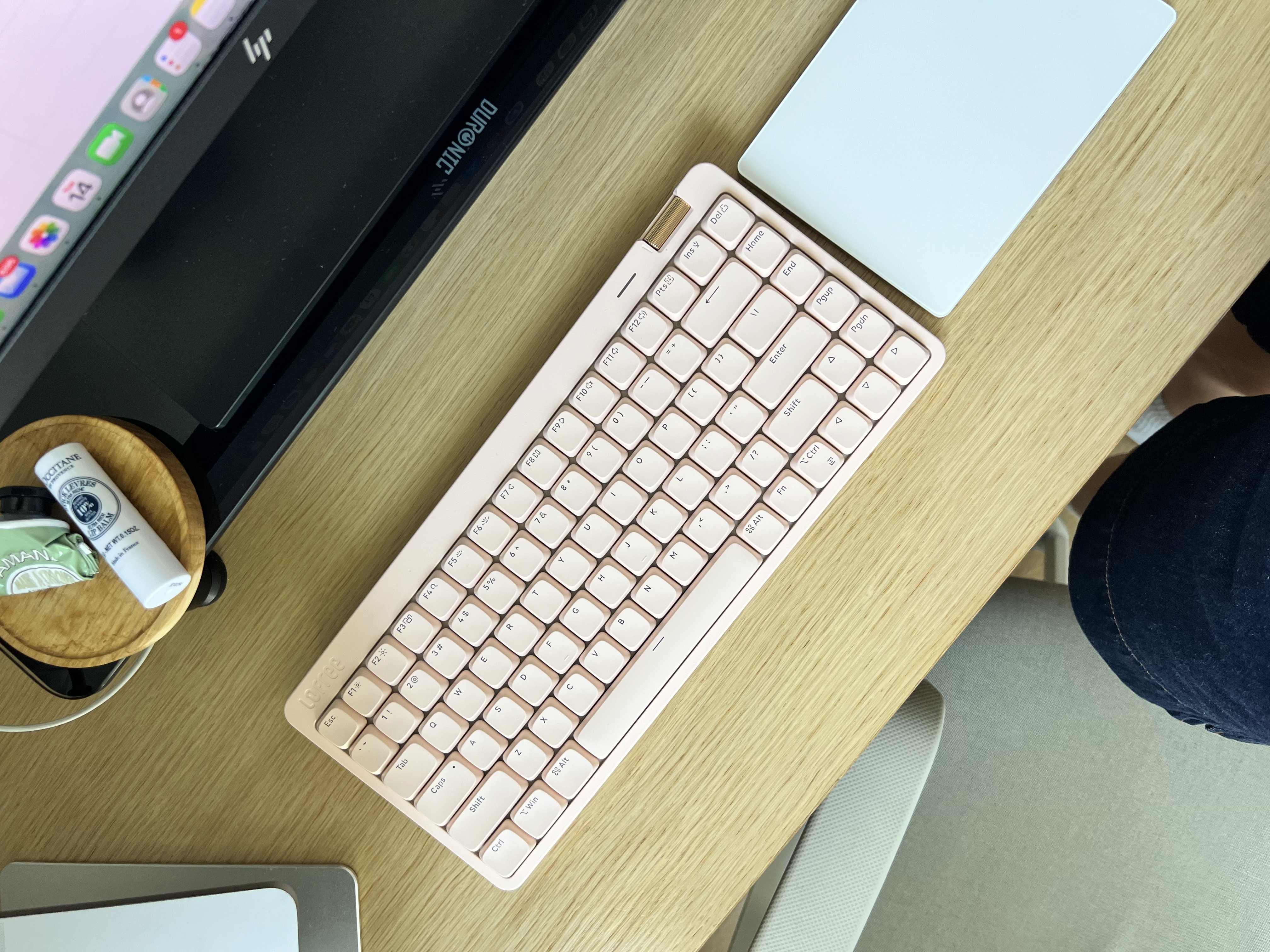
Update 2026-08-24: My wife read this post and said that it is not complete without her Lofree Flow Lite84 Flamingo with Specter Switches. I bought this Lofree as a present for her a few months ago. We both work from home now, and it is nicely pink, looks cool on her table and sounds just awesome. Every time she gets nervous during the day she starts typing harder on the keyboard, and now I hear that nice creamy song…